NslNotes
A local-first, plain-text knowledge tool for daily notes, tasks, and docs.
For a few years I used Logseq as my daily driver for work notes. I loved the journal-first workflow — open the app, start typing into today's page, and let the outliner handle the structure. But over time I kept bumping into the same friction: tasks were second-class citizens buried in bullet trees, longer documents didn't feel at home in the outliner, and the block-based storage format meant my files weren't really portable markdown.
I also used Obsidian for some things, which nailed the plain-text story but lacked the journal-first workflow I'd come to depend on. I wanted the best of both — Logseq's daily capture speed with Obsidian's plain markdown storage and a proper task surface that's always visible.
So I built NslNotes. The core idea: every file is human-readable markdown with YAML frontmatter. No database, no proprietary format. The app builds an index from your files and gives you a three-column UI with the journal in the center, topics and docs in the sidebar, and open tasks permanently visible on the right. If the app disappears tomorrow, your notes are still just text files in a folder.
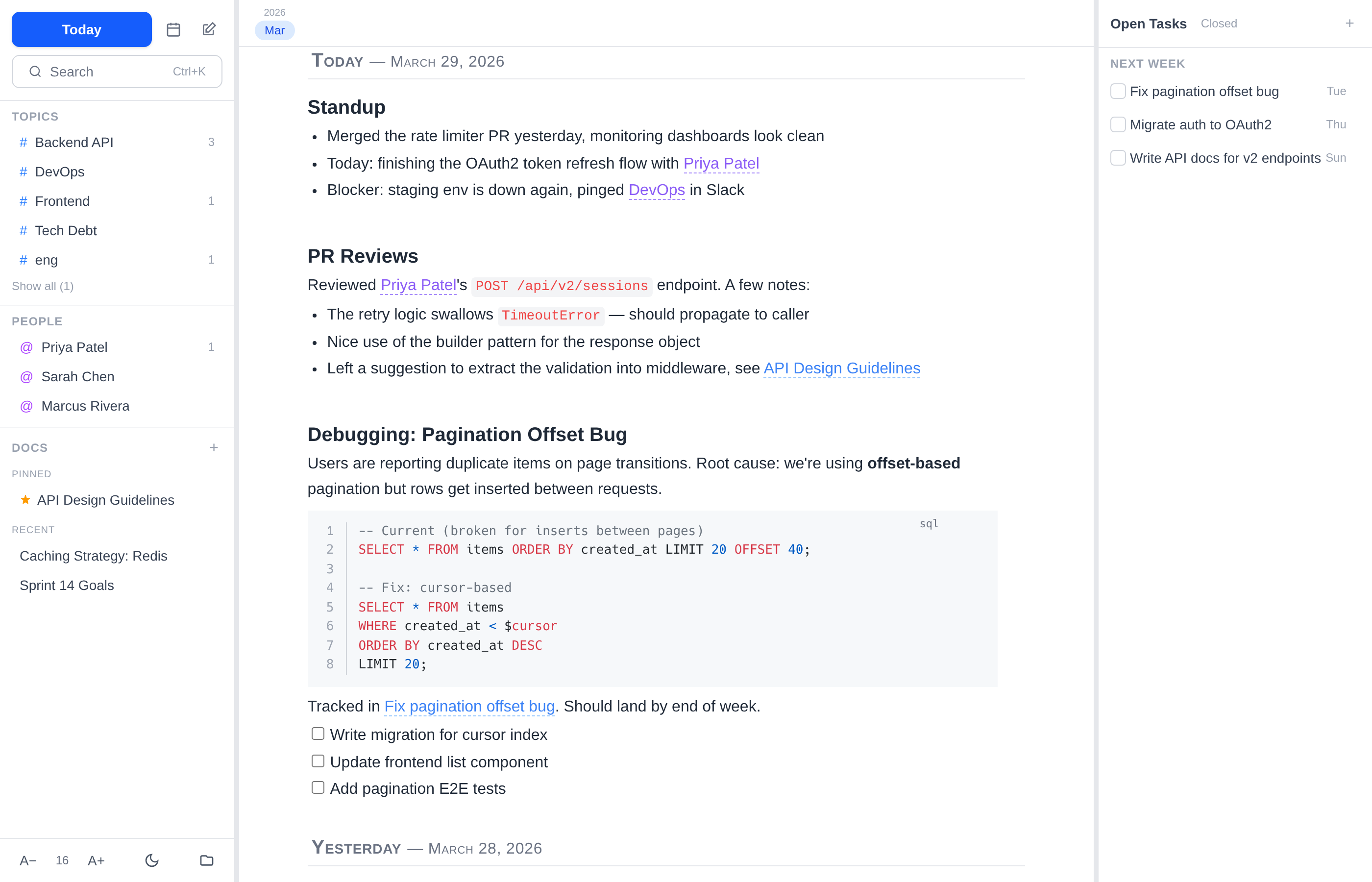
Journal View
Daily notes front and center. The journal view shows today's note with a calendar for navigating to past entries. The editor supports code blocks with syntax highlighting, tables, checklists, and wiki-style links between entities.
The left sidebar shows topics and pinned docs. The right panel shows tasks grouped by due date. Everything is always one click away.
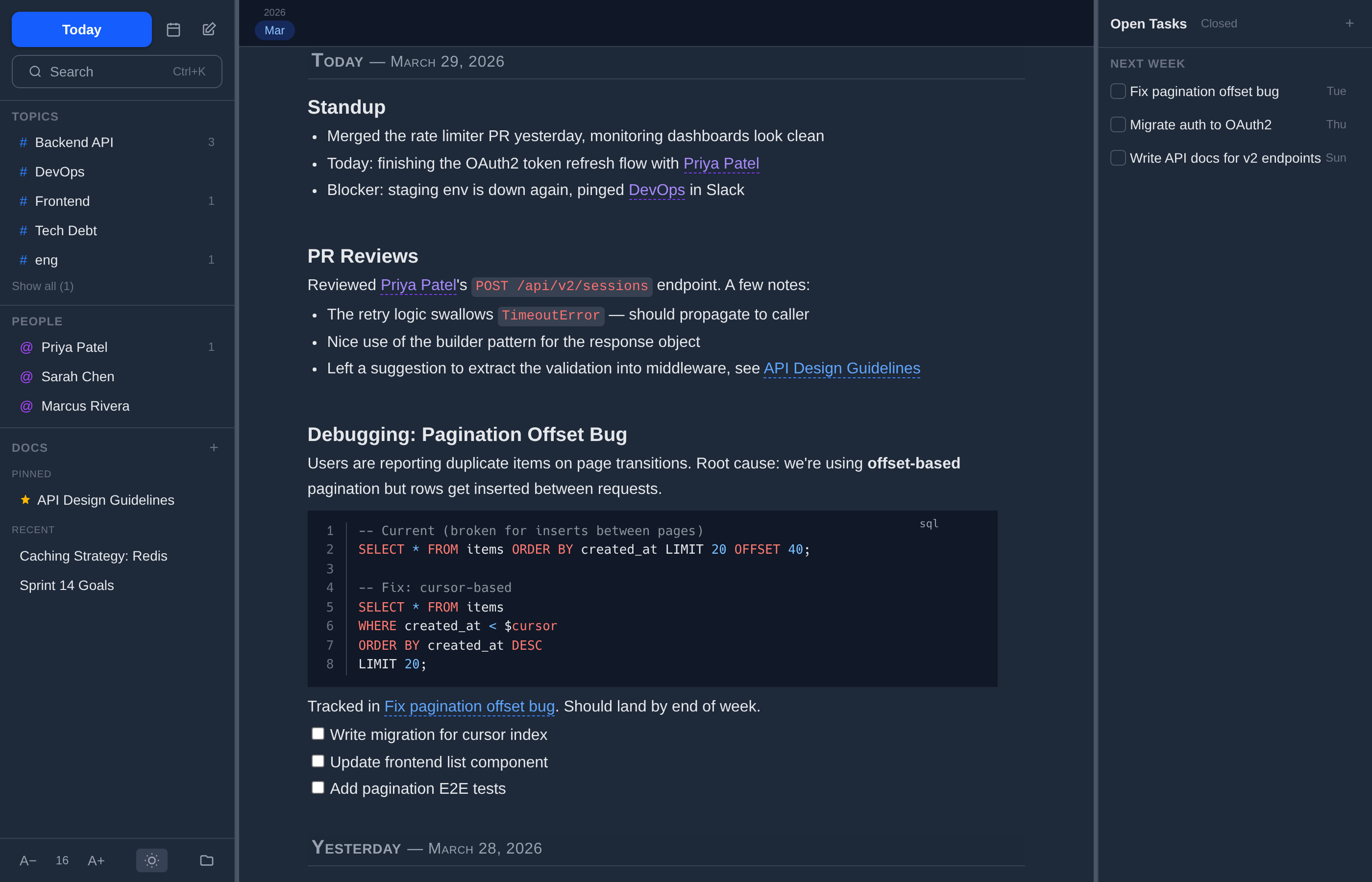
Dark Mode
Full dark mode support, toggled with one click. Because sometimes you're writing notes at 2am and your retinas deserve mercy.
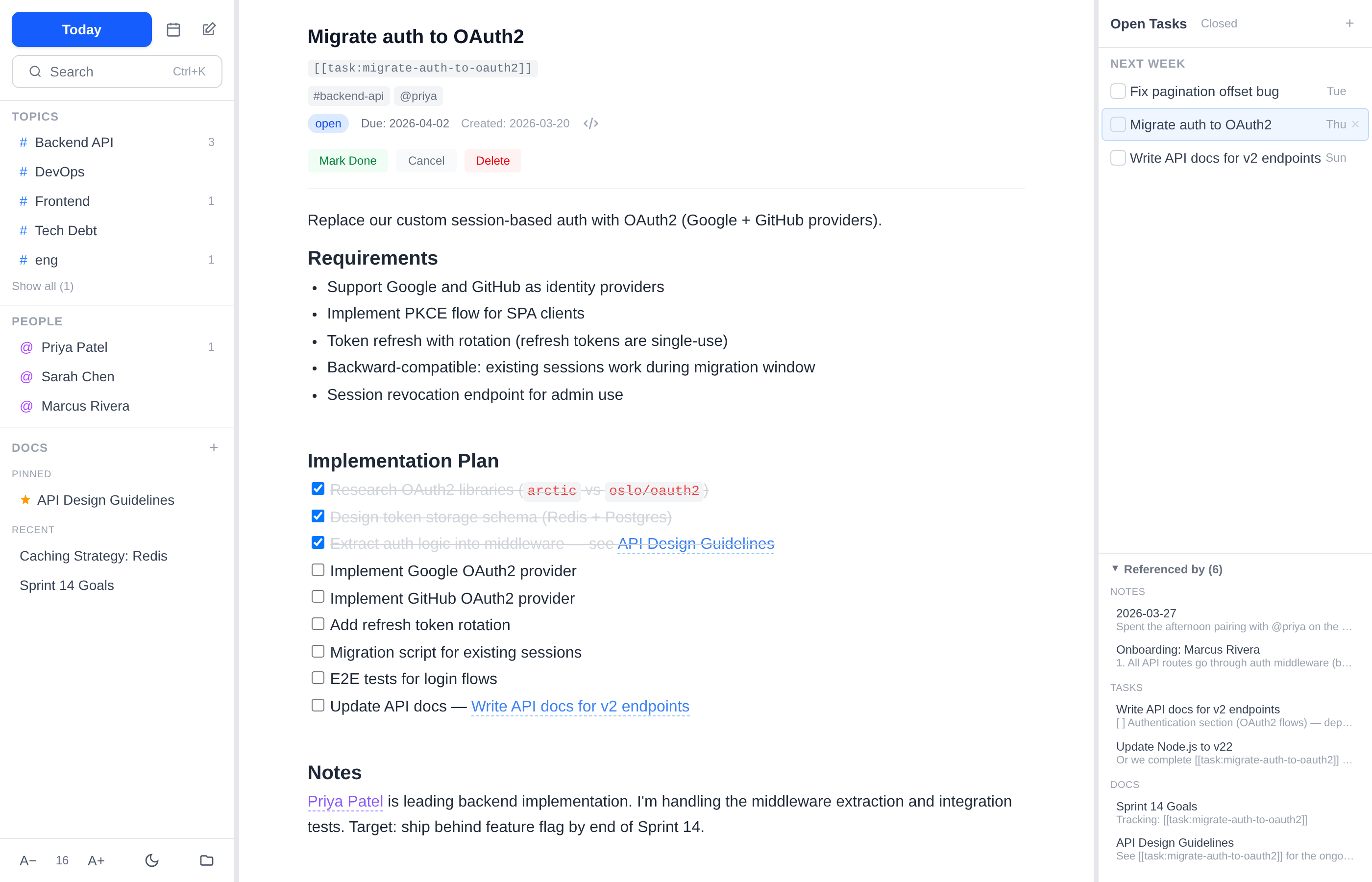
Tasks
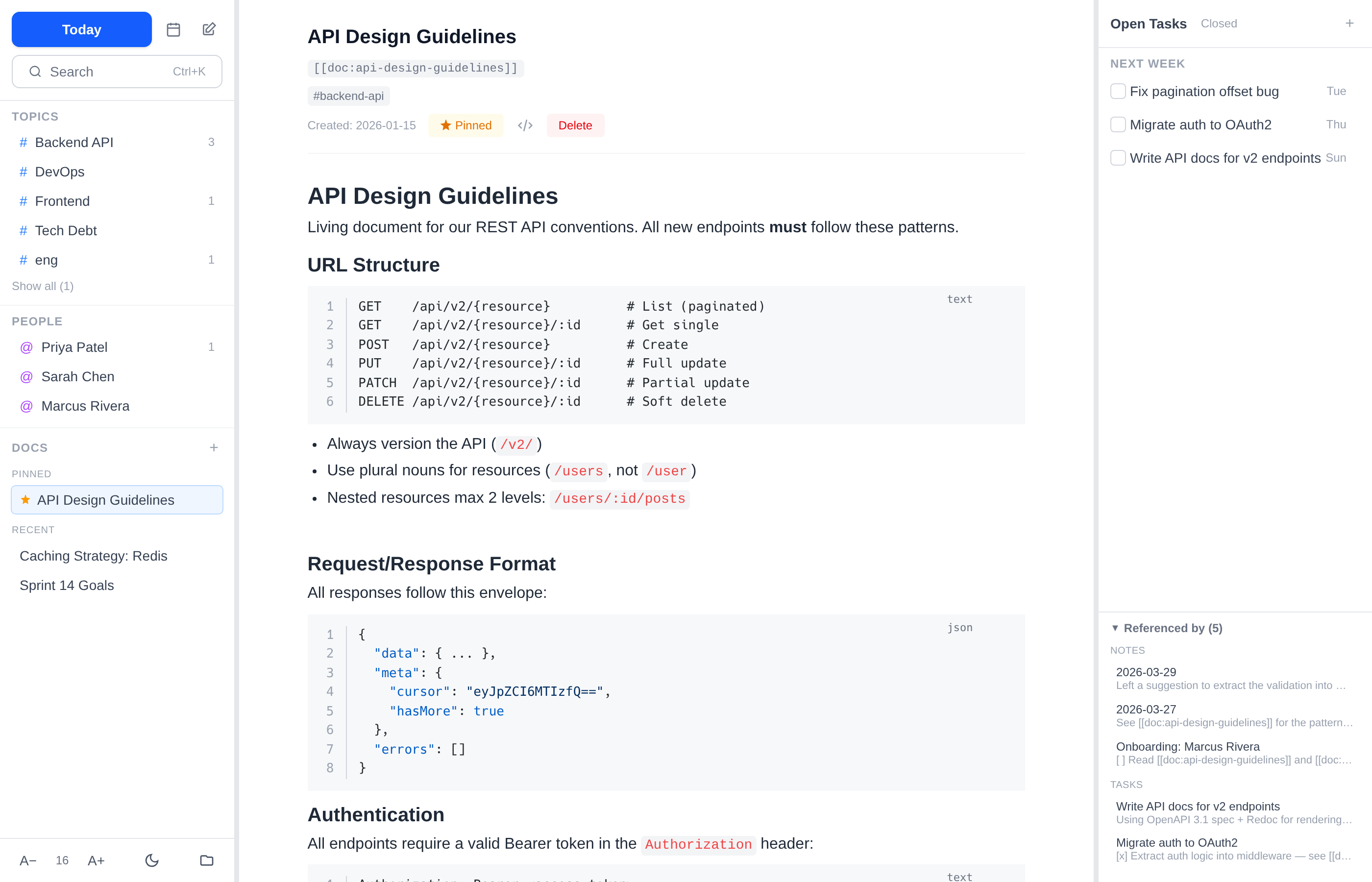
Tasks live in the right panel, grouped by due date (overdue, this week, later). Click one to expand it into a full editor. Each task has a status (open/done/cancelled), optional due date, and topic tags. The backlinks panel on the right shows every note and doc that references the task.
Docs & Topics
Long-lived docs like design guidelines, research notes, and project specs live in the sidebar. Pin the important
ones to the top. Topics like #backend-api or @sarah tie everything together —
click a topic to see every note, task, and doc that references it.
Search
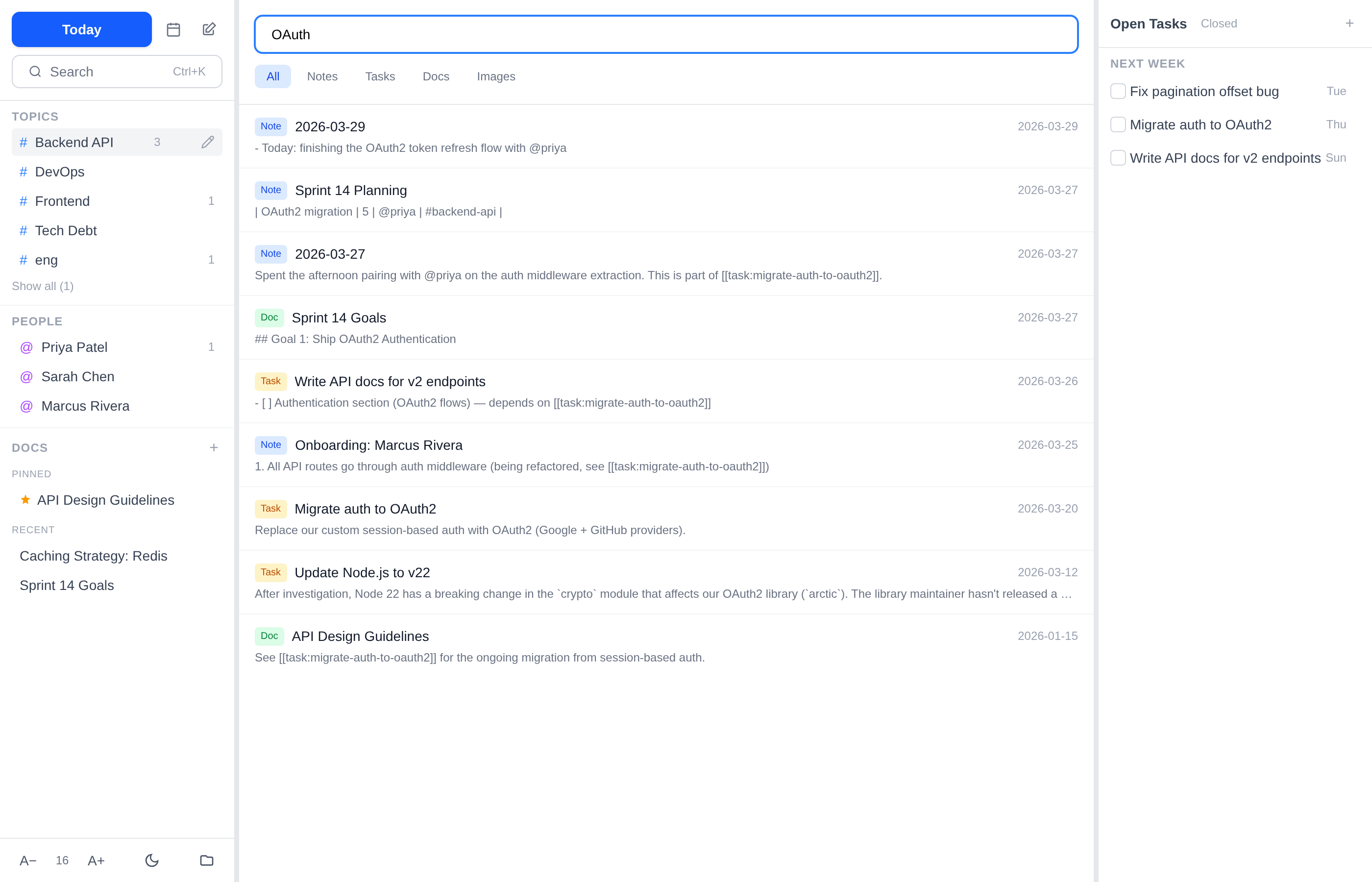
Ctrl+K for instant full-text search across all your notes, tasks, and docs. Results are grouped by type and show a content preview so you can find what you're looking for quickly.
Tech Stack
- Tauri — Rust backend for native file system access, with a web mode for browser development
- SolidJS — Reactive UI framework with fine-grained reactivity
- TipTap / ProseMirror — Rich text editor with custom extensions for wiki-links, code blocks, and tables
- Tailwind CSS v4 — Styling with dark mode support
- Plain markdown + YAML frontmatter — No database, files are the source of truth
Resources
- Source code on GitHub