
Barbell Calculator
Plate calculator and PR tracker for the gym. A rebuild of a jQuery Mobile prototype I wrote in 2012.
My wife lifts, and every workout starts with the same bit of math. The whiteboard gives you a weight and you have to figure out which plates get you there. Subtract the bar, divide what's left in half, then make that number out of the plates on the rack. It isn't hard math, but you're doing it standing over a bar with a minute of rest left, and getting it wrong means you unload the bar and start over instead of lifting it.
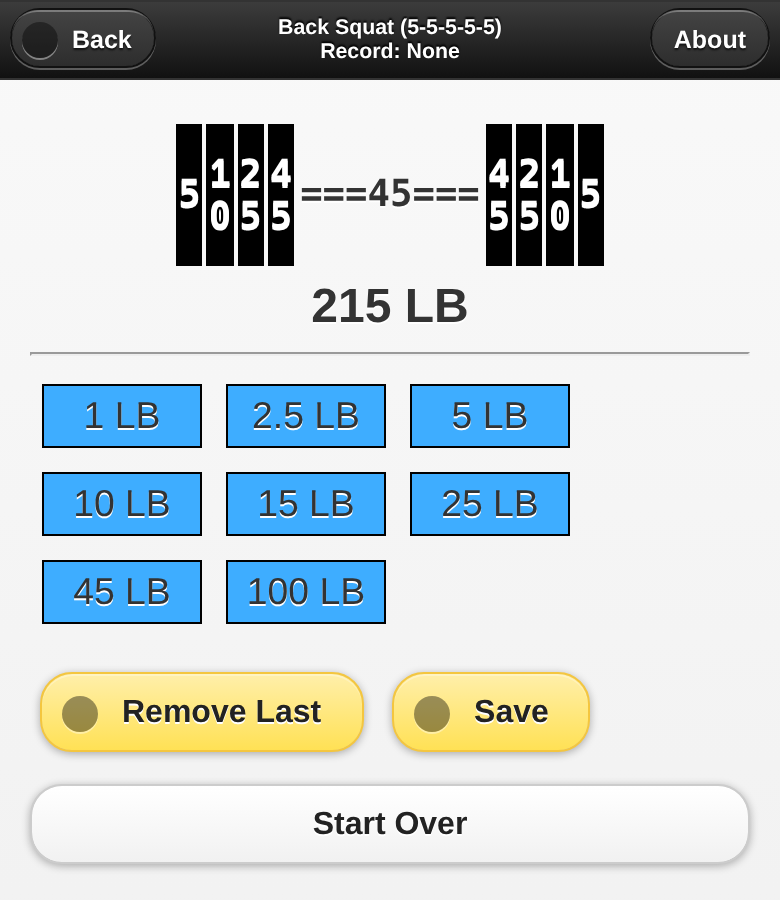
I originally built an app for this back in 2012 using jQuery Mobile. It was four screens: pick your lift, pick your rep scheme, pick your bar, then tap buttons to add plates. It drew the loaded bar as a row of table cells with the numbers stacked sideways, and it saved your records to localStorage. It did the job, but records that live in localStorage only exist on the one phone that made them. Get a new phone and you start over.
In 2025 I rebuilt the app as a way to experiment with the emerging AI coding tools. Same four screens, and honestly a lot of the same decisions - I kept the same list of fifteen lifts, the same three rep schemes, and the same three bars. The record key is still the same "lift|reps" string it was in 2012.
I had three goals for the rewrite:
- Records that follow you - The whole point of tracking a PR is comparing against it later, and that doesn't work if your phone is the only place it exists. This is the one thing that required a backend.
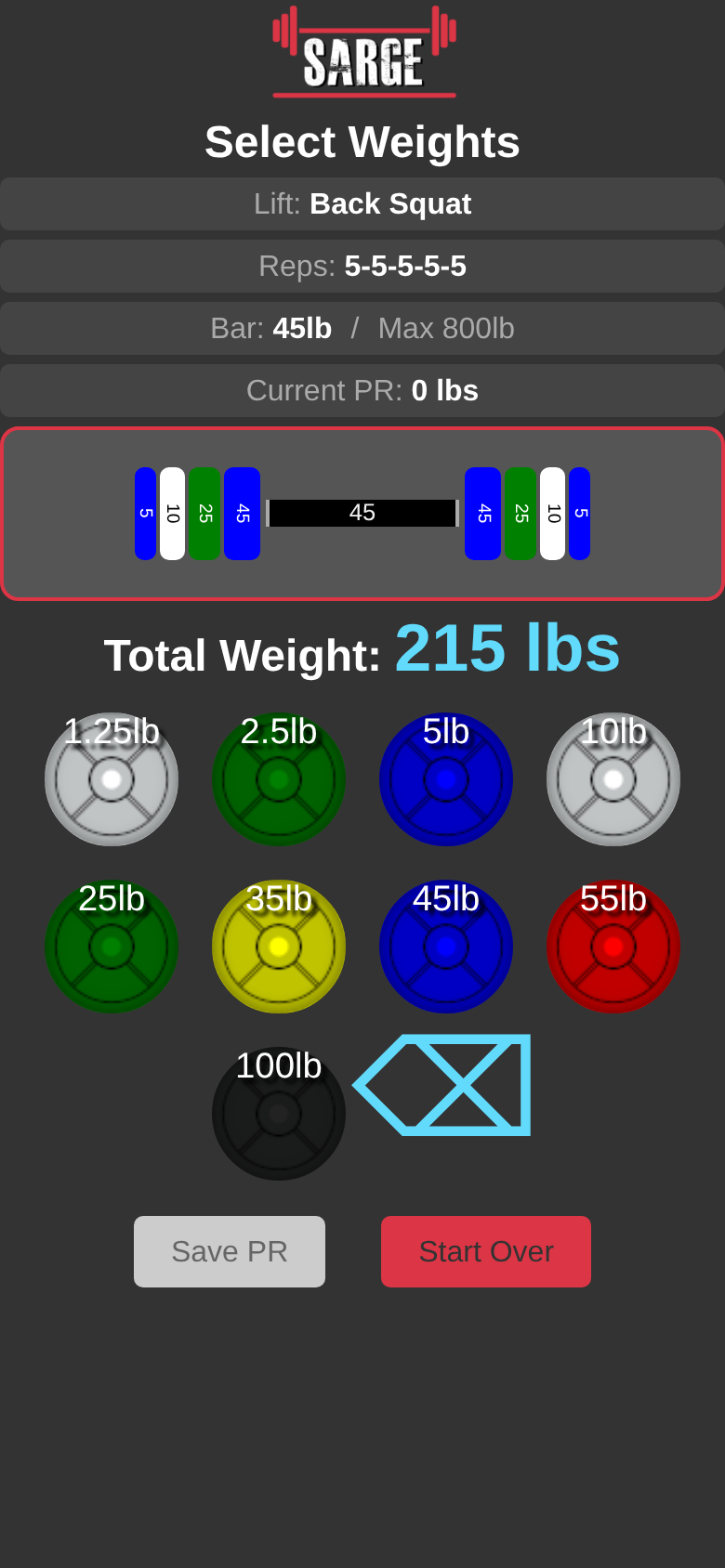
- Plates that look like plates - The prototype drew the bar out of black rectangles with numbers on them. In a real gym you find a plate by its color from across the room, so the app should use the same colors.
- No accounts, no ads - Every calculator in the app store wants you to sign in before it will add two numbers together, or shows you a banner while you do it. Sign-in here is optional and only exists to sync your records.
Functional Design
The flow is four screens with one decision on each: which lift, which rep scheme, which bar, then the plates. There isn't a text field or a dropdown anywhere in it. Every choice is a row or a button big enough to hit with a thumb, because the phone is sitting on the floor next to the bar when you're using it.
Plates get added in pairs, one to each end, which is the only way anyone actually loads a bar. The picture mirrors both sides so you can load left to right against it, and I draw the plates roughly to scale. Not literally to scale, because a 100 next to a 1.25 at true scale makes the 1.25 invisible, so the widths run through a log curve that keeps everything on screen while a heavier plate still looks heavier.
Bars carry their own maximum weight. The 15 lb aluminum training bar tops out at 95 lbs, and if you load past that the display turns red and tells you. The prototype did this with a JavaScript alert, which I do not recommend to anyone.
PRs
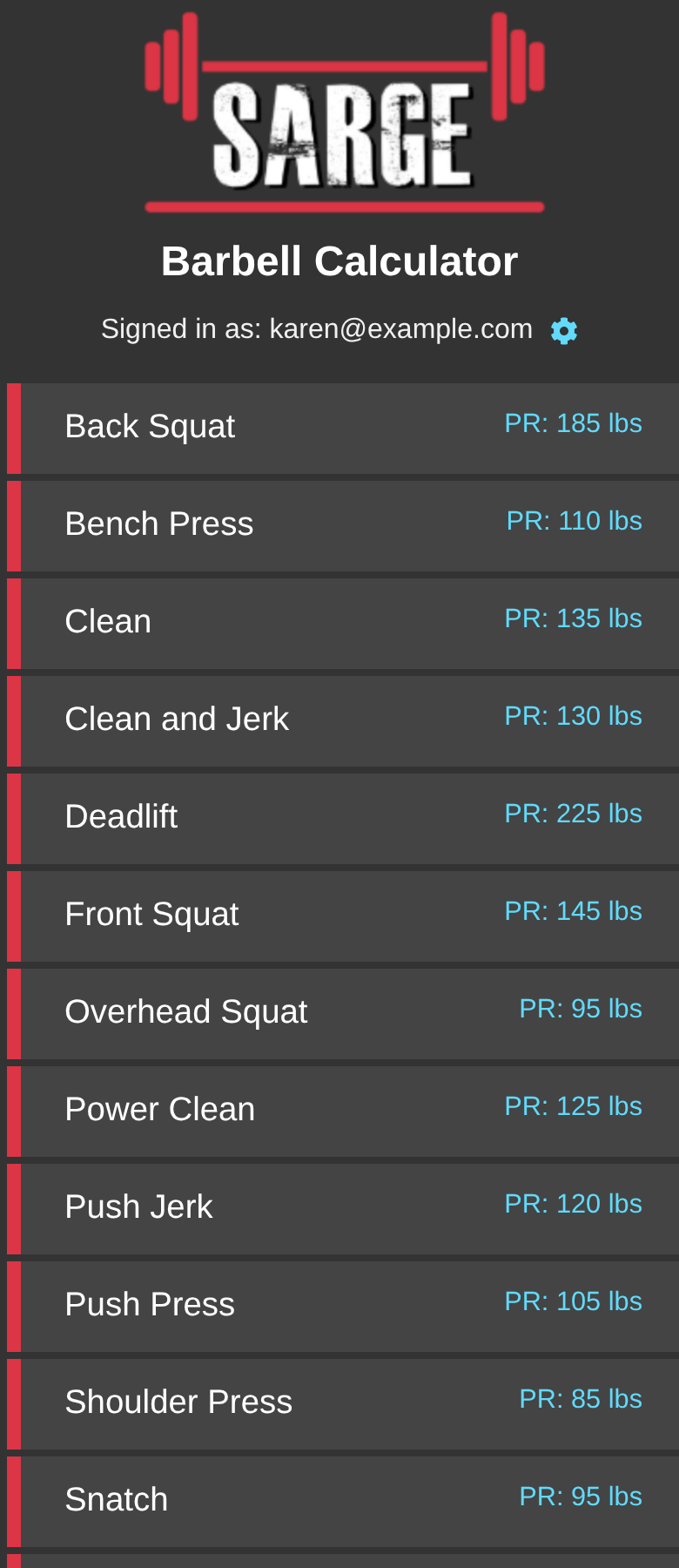
A record only means something attached to a rep scheme, since a five rep back squat and a heavy single are different lifts with the same name. So records are stored against the pair, and the lift list on the front screen shows your best across all the schemes so you can see where you're at before picking anything.
Once the bar is loaded past your current record, the Save PR button turns on. That's the whole feature. There's no history and no graphs. I have been told that adding a streak counter to my wife's workout app would not be received as a gift.
Technical Design
I built this with React and TypeScript. It started on Create React App and I moved it over to Vite partway through, which cut the dev server startup from around fifteen seconds to about one.
There's no state library in it. The four screens hand each other a growing object of selections through the router as you move forward, which is about as much state management as a four step wizard needs.
For the backend I used Firebase, which handles auth and gives me Firestore for storage. All of a user's records live in a single document keyed by lift and rep scheme. The app reads that document once, holds onto it for ten minutes, and drops the cache as soon as you write. So a typical session is one read, the fifteen numbers on the front screen come out of memory, and saving a PR is one write. That keeps it inside the Firebase free tier.
There's a manifest and a service worker so it installs to a home screen and opens without browser chrome, which is how it gets used.
- Try Me! - Barbell Calculator